Free Puzzle Makers for Teachers: Word Search, Anagram, Cryptogram and Criss-Cross
The short answer
Teachers can make a printable word search, anagram puzzle, cryptogram or criss-cross from their own word list in under a minute, using four free puzzle makers on bossfeed.fun/tools/. There's no account, no watermark and no limit on how many sheets you make. Paste in this week's spelling or vocabulary list, pick a few settings, and press Print. The answer key can print on its own page, so you can hand out the puzzle without handing out the answers.
Everything runs in your browser, and nothing you type is sent anywhere, which is handy if your list includes your students' names. Our page for teachers gathers all of it in one place, along with a daily logic puzzle your class can solve together.
The four puzzle makers at a glance
- Word search - Your words hidden in a grid. You choose the size and which directions the words run.
- Anagram - Type a sentence and scramble the words you choose into a puzzle with an answer line.
- Cryptogram - Type a phrase and every letter becomes a different one. You choose how many letters to give away.
- Criss-cross - Your word list interlocked into a numbered grid, like a crossword with the words given and the grid left empty.
Each tool has a "start over" button and a "copy as text" option. The word search, cryptogram and criss-cross makers also have a large print setting for sheets that need bigger type.
Word search maker
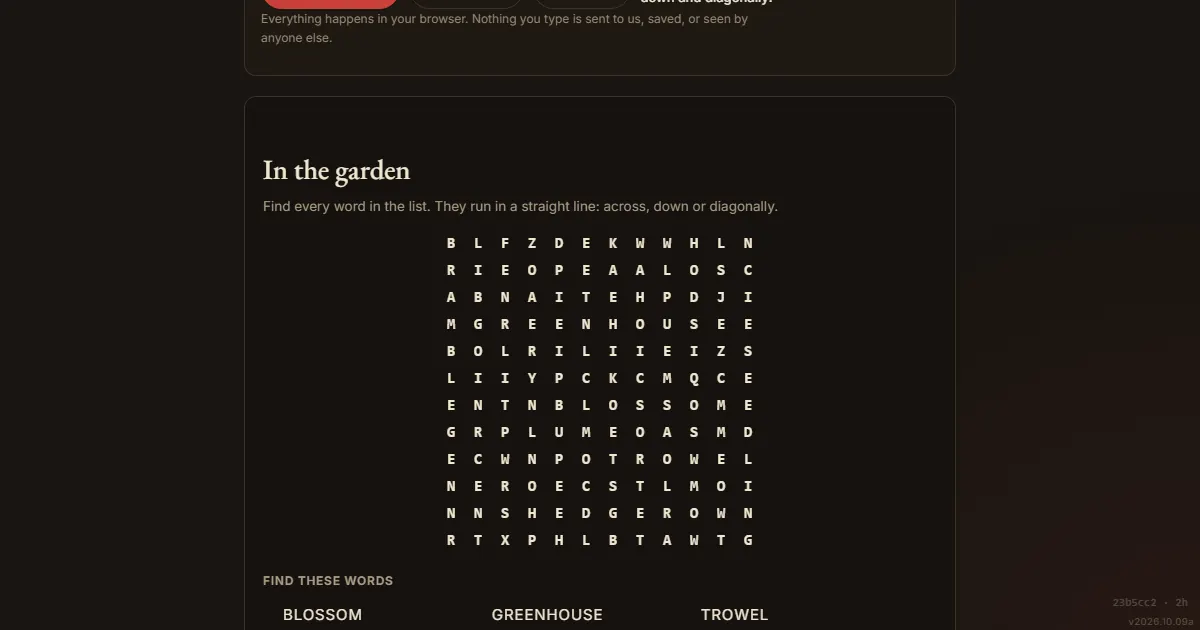
The word search generator is the one most teachers reach for first. Paste your words, one per line or separated by commas, and the puzzle updates as you type. There is no Generate button, because the grid is built in your browser as you go.
The settings that matter:
- Grid size - From 8 by 8 up to 20 by 20. A ten-by-ten is a children's puzzle, and a sixteen keeps an adult busy.
- Directions - Across and down only is the gentlest setting. Adding diagonals roughly doubles the search, and adding backwards makes it properly hard. For young children, leave backwards off, because reading right to left is a skill they're still building.
- Answer key - It prints on its own page by default, or under the puzzle, or not at all.
- Themes - If you want a starting point, there are ready-made themes (in the garden, by the sea, space, in the kitchen, weather, music) that you can edit.
A tip from the tool itself: long words are easier to find than short ones. Five four-letter words are much harder to spot than one long one. If your puzzle feels too easy, shorten the words rather than growing the grid.
The generator is also honest about what it can't do. If a word is longer than the grid, or sits inside another word on your list (RAT inside CRATE, for example), the page says so in plain words above the puzzle and tells you what it did. It never drops a word quietly.
Anagram maker
The anagram generator takes a phrase and scrambles the words you tick. Words of four to eight letters start ticked, up to five of them, and you can press the arrow next to a word to re-scramble just that one until the jumble reads fairly. The answers print on the same sheet, and you can fold them off.
Use it for spelling practice, name puzzles for a door or place card, or a vocabulary warm-up built from a sentence your class has already read. A couple of rules worth knowing:
- Leave enough of the sentence standing - The unscrambled words are the clues. Scrambling three to five words out of a dozen is the sweet spot.
- Short words stay put - A word needs at least three letters and at least two different letters before scrambling means anything, so tiny words are greyed out.
- It makes puzzles; it doesn't solve them - This isn't an anagram solver. It scrambles the words you give it and can't unscramble a pile of loose letters.
Cryptogram maker
The cryptogram generator turns a phrase into a letter-substitution puzzle. Type or paste a quote, add the author if you like, and choose how many letters to give away, from none (hardest) to six. A printed working alphabet gives students somewhere to record what they've worked out.
For a class, it works well with a quote tied to your topic, or a line the class has already read. Some guidance that holds up:
- Longer is easier - A long phrase gives solvers far more repeated letters to work from. A four-word quote can be impossible.
- Give a letter or two away - One given letter changes a cryptogram from intimidating to inviting. Two or three suit a younger group.
- No letter stands for itself - The tool enforces this on every puzzle it builds, so a short phrase can't leave a whole word sitting there in plain English.
If your students haven't met cryptograms before, our daily emoji cryptogram is a gentler way in, since the puzzle picks a symbol for you and you tap the letter you think it stands for.
Criss-cross maker
The criss-cross puzzle maker interlocks your words where their letters agree and gives you an empty numbered grid to print, with the word list beside it grouped by length. Students work out which word goes where from the lengths and the crossings.
It helps to be clear about what this is. A criss-cross, sometimes called a word fit or fill-in, gives you the words and hides where they go. It isn't a crossword, because a crossword hides the words and gives clues instead, and writing clues for every entry is work a generator can't do for you. If you want clues, write them yourself against the numbered answer key the page prints.
For the job most teachers have, a topic's key words, this is often the better puzzle anyway. Some tips for a grid that comes out well:
- Choose words that share common letters - E, A, R, S and T give the tightest grids. A word with no letter in common with the rest has nowhere to cross, and the page tells you which ones it left out.
- Mix the lengths - Four to ten letters gives solvers something to reason with.
- Aim for eight to fifteen words - Below about six it's a cross rather than a puzzle. Above fifteen it stops fitting comfortably on one sheet.
- Avoid two-word entries - A square holds one letter, so a two-word entry is split into two words.
Good habits for classroom puzzles
- Read your own puzzle before you print it - If you can't make a start on it yourself, your students won't either.
- Keep the answer key separate - Each tool prints it on its own page by default, so you can hand out the puzzle without the answers.
- Same list, same puzzle - The word search, criss-cross and anagram makers give the same puzzle from the same words and settings, so you can rebuild a sheet you've lost.
- Printing is cheap - The word search and criss-cross grids use hairline rules and outlined squares on white paper rather than solid black blocks, so a class set doesn't empty a cartridge.
- Save as PDF - In the print dialog, choose Save as PDF to keep a copy for next term.
More for the classroom
Our teachers page also has a free daily logic puzzle that a whole class can solve together in about ten minutes. You can put it on a projector, share one device between small groups, or print it with a grid big enough to pencil into. Each day of the week has its own difficulty, with Monday a good first try and Friday a real challenge, even for adults. It also links to printable word searches, crosswords, anagram puzzles and chess puzzles with answer keys.
Students don't need an account for any of it, and there's nothing to install.
Frequently asked questions
Are the puzzle makers really free?
Yes. They're free, with no account, no limit on how many you make, and no watermark on the printout.
Is my word list sent anywhere?
No. Each puzzle is built in your browser and stays there. Nothing is uploaded or logged, and the page keeps working with your network disconnected once it has loaded.
Can I make a real crossword with clues?
Not with these. The criss-cross maker gives you an empty grid and a word list, which is a different puzzle. A crossword needs a written clue for every entry.
How many words can I use?
For the word search, eight to twelve is comfortable on a twelve-by-twelve grid, and you can use up to twenty-four. For the criss-cross, eight to fifteen makes the best-looking grid.
Can I print a large print version?
Yes, for the word search, cryptogram and criss-cross makers. Each has a large print setting that makes the squares and the word list bigger, not just the heading.
Comments