Free online party games for a group or a video call
To play a party game with friends who are not in the room, one person opens the game on a computer and shares that screen on a video call, and everyone else joins from their phone with the room code. Bossfeed's party games work this way for free, with no app or account.
Last updated: October 22, 2026
Step by step on a video call
- Start the call in whatever app your group already uses.
- One person opens a game on a computer and shares that browser window or tab, so everyone can see the room code and the game.
- Everyone else joins on their phone. They type the room code on the join page, since a QR code on a shared screen is hard to scan from a laptop. Each picks a name.
- Play. Everyone watches the host screen on the call and uses their phone as the controller. That is a remote party game.
Which games work best over a call
The best fits are games where the action is in the answers, not in split-second reflexes, because video adds a small delay.
- Boss's Bluff is the strongest pick. Writing and voting do not depend on timing, and reading out the funniest lies is half the fun.
- Boss Draw also works well, because drawings and guesses are typed on phones.
- Final Boss Fiesta and Board Game Night work if the shared screen is clear and the group is patient.
- Marble Rush and Surviversus! are fast, so expect some lag on the shared view. They are better in one room.
Tips that help
- Share a single window or tab at a good quality, not a tiny thumbnail, so the words are readable.
- Keep the host's computer plugged in and awake. If it sleeps, the shared screen goes blank for everyone.
- Use any call app for faces and voices. The game takes care of the rest.
- Start with a short game to check that everyone can join, then move on to longer ones.
- Video adds latency, so choose games where timing matters less. A bluffing game is a safe start.
In the same room instead
The games are designed for one room, where everyone can see the TV. If you are together, skip the call and host a game night with a TV and everyone's phones.
Our party games

Boss's Bluff
Bluffing trivia · 2 to 8 players · about 12 minutes
A prompt about history or art appears on the TV with a blank in it. Everyone secretly writes a believable lie on their phone, the TV mixes the lies in with the real answer, and the room votes for what it thinks is true. You score for spotting the truth and for every person your lie fools.
Play Boss's Bluff
Boss Draw
Draw and guess · 2 to 8 players · about 20 minutes
One player picks a secret word and draws it with a finger on their phone while the TV shows the canvas. Everyone else races to type the answer. Hints appear late in the turn, and the game plays in ten languages, including English, Spanish, French and Chinese.
Play Boss Draw
Final Boss Fiesta
Party board game · 1 to 8 players · 15 to 40 minutes a board
Roll the dice on your phone and hop around a picnic-park board on the TV, then everyone plays a quick minigame. Win minigames for Gems, spend Gems on Trophies, and most Trophies wins. Bots fill empty seats.
Play Final Boss Fiesta
Board Game Night
Table games · 1 or more players · varies by game
Chess, checkers, Four in a Row, Texas Hold'em, FINAL, a memory match and more. Play solo against bots, pass one phone around, or put the board on a TV and join from phones.
Play Board Game Night
Marble Rush
Marble race · 1 to 8 players · about 2 minutes a race
Thirty-two marbles pour down a mountain course on the big screen. Each phone steers a team of four, nudging one marble at a time left or right and switching to whichever of yours is furthest ahead. Short, loud and easy to join mid-evening.
Play Marble Rush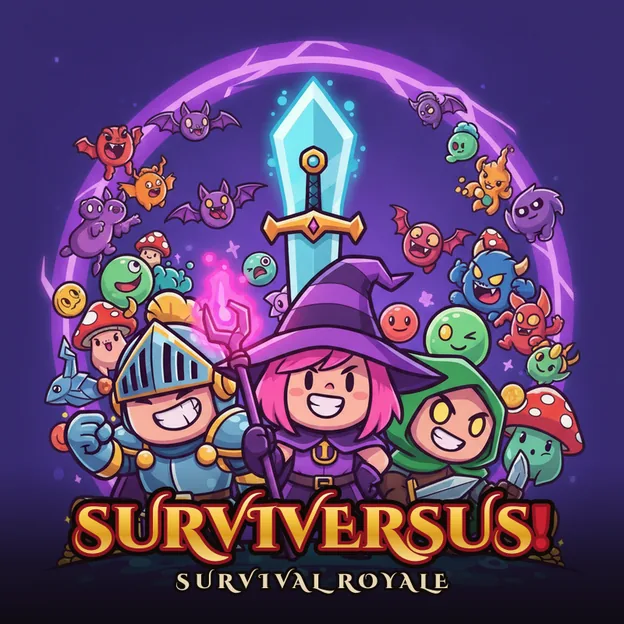
Surviversus!
Survival arena · 1 to 8 players · about 6 minutes a match
A cartoon survival battle royale. Steer with one thumb while your weapon fires on its own, pick a power-up each time you level, and outlive a closing storm. Also plays solo against bots, and the menu opens on a public 30-player Royale.
Play Surviversus!Questions people ask
Do all players need to see the shared screen?
Yes. The questions, drawings and scores appear on the shared screen, so everyone needs to see it, either in the room or through the call.
Does Bossfeed include video chat?
Use any video call app you like for faces and voices. Bossfeed provides the games.
Do players need accounts?
No. Players type a name and join. Nobody needs an account.
How many people can join?
Up to eight phones in most games. Check each game's card above for its range.
Keep reading
- A free trivia night game for a group
- Free Jackbox alternative: party games in your browser
- How to host a game night with just a TV and everyone's phones (free)
- All party games
- Party game glossary
Jackbox Games, Kahoot and other names mentioned here belong to their owners, and Bossfeed is not connected to them. Rules and prices of other products change, so check their sites.